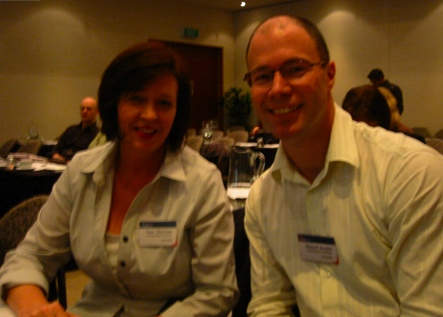
In the final session of the morning proceedings, Richard Burdes and Kaye Churches from Airways New Zealand, presented a case study entitled Moving on from Paper and Emails — Our First Steps into Online Collaboration.
Kaye started off. “I’m a content person”, and she’s not full time on any Intranet projects. Richard is the one and only full-time Intranet person. Kaye’s background is in document design.
Agenda:
– RFCs online (“Request for Changes”)
– Background to the development
– Explain the key features
– How we managed the change
– What worked and what didn’t
– (Richard) The techo stuff and a demo
Airways … provide air traffic control services. Have towers around the country. Key job: to keep planes apart. Manages all domestic and international air traffic within NZ’s 37 million square kilometers. Airways has two distinct workgroups:
– Those who provide air traffic control services
– Those who develop and maintain the supporting systems and infrastructures
– … traditionally, both sides of the business have created their own systems and processes. The RFCs process was the first time the two groups worked together.
There’s 680 staff in Airways, with 67% as air traffic controllers. The average length of work history is 15 years, so for Kaye and Richard coming in, they were perceived as “new”. Many of the staff have only worked at Airways … for 30 or 40 years. The business is very risk averse … incredibly safety conscious (thank goodness!). The majority of staff use specialized systems. A cultural descriptor is “caution”. Staff are familiar with basic windows features and actions, and manager users are unfamiliar with web forms and basic windowing actions. The lack of technical competence has caused some issues for Kaye and Richard.
RFCs Online
Before April 2007, requests for changes was a paper-based process. Everything has to be logged and tracked — due to a strict regulatory environment from the CAA, and ISO9001 accreditation. Any changes to manuals to do with air traffic control, eg, plane routing changes — it all has to go through a change process.
The online system was launched on April 2, 2007. It supports both change requests, and “ideas for improvements”, and “good ideas”. It was designed as a collaborative intranet-based business tool, and was available to everyone. It replaced 3-4 different paper-based systems. It was a very manual process … eg, knowing who RFCs should go to, there was no visibility and reporting on what was going on, some RFCs were years old without resolution.
Key requirements for the new system:
– To be used for all business units
– To collect information required for ISO compliance
– To automate workflow
– To standardized reporting
The challenge: to shift from paper to online, with 2 part-time people, to work within the regulatory compliance framework, with minimal budget (not allowed to buy stuff). In essence: “Hey guys, squeeze this into your real full-time job”.
The Approach
Brought together a group of 10 stakeholders and users. It featured a lot of managers from both sides of the business, and key users of the system. We ran a workshop to gather requirements, getting everyone together in a room. We showed a dummied-up form, and this helped with eliciting requirements. We documented the discussion, and how people wanted the system to work. We requested sign-off on the model, requirements and scope. And we repeated with various workshops during various stages of development.
Key questions:
– What are the business problems we’re trying to solve?
– What are the different roles in the system, and what actions are needed to be taken at each stage?
Key features of the system they developed:
– A user customized RFC page. All the actions you can do (by role/login) are shown there. Eg, managers see pending RFCs that require their signoff/approval.
– Anyone can submit an RFC.
– Extra files can be attached.
– Everyone can find and read all logged RFCs. Eg, if a manager is asked to approve an RFC about which he has some serious doubts, they have to write “why”. Anyone can see that in the future. Staff like the fact that managers are more accountable.
– Automatic emails notify the next person in the workflow.
– RFCs can be sent back at any step.
– Reports can be generated by everyone.
The biggest challenge was managing change. Eg, dragging people away from paper, managing user expectations, managing (low) user skill levels, managing user attitudes, and managing the Managers role. Although the system started off as a low key thing, it quickly became high profile due to its impact across the entire business. Had to do a lot of selling, particularly because it forced people to fill out more information than they previously were asked for. People who were key to future adoption of the system were viewed as key stakeholders, and were invited onto the key stakeholder group.
Strategies that worked for managing change:
– Using the same stakeholder group for each iteration of the form.
– System owners were senior managers from both sides of the business. It ensured top-down buy in from the staff.
– Identified keen key users to help test.
– Promoted the launch of the new system using news on the Intranet.
– Advertised roadshow demos and user training in certain centers by email and on the Intranet. Unfortunately, funding wasn’t available for going to all of the regional centers.
– Made ourselves available for team meetings prior to the launch of the new system.
– Made a few small changes for key (potentially negative) users following demos.
– Giveaways to all staff at the time of the launch — little branded product with “RFCs Online” printed on the side.
– Removed the old forms the day the new system went live.
Things that didn’t work:
– Being naive about the politics of the company. Eg, failing to engage with two divisions early on. After a sincere apology, things got better.
– Relying on senior staff to communicate changes across the business.
– Assuming our users had an average level of windows/intranet functionality.
Under-the-Hood “Cool Stuff”
Richard gave a peek behind the covers:
– Online forms are written in ASP for users
– ASPupload for file attachments
– There’s an SQL database
– Use CDO for email notifications
– Active Directory to assign user permissions
– Javascript to copy hidden fields and display form actions
Main challenges:
– Browser compatibility, eg, for staff working at home
– Internal and external access
– File uploading and retrieval
– Communicating using CDO for email
– Reporting using Crystal Server and web summaries … not available from outside the network. The security system won’t permit access to the Crystal Server from home.
Richard showed us through the Intranet and the RFCs system.
Questions
1. (Chan) Did you look at other solutions before writing this inhouse?
(Richard) No, we had no budget. We were just told to do. If we had a budget, we’d look more widely.
(Kate) We couldn’t buy anything “cool”, even though it was a very high profile system … and core to the business.
(Kate) The “Find a Technical Drawing” application (that Richard showed) has been one of the biggest successes. Highlights the key: find a problem that a significant group of people face, and solve it. It pulls users into the Intranet.
(Gulp … it’s lunch time, then I’m on … )
Categories: Conference Notes
 Michael Sampson